The Ultimate Desktop Companion for VRChat
Manage your friends list, monitor real-time activity, inspect mutual connections, explore worlds, track friendship history, and move seamlessly between desktop and VR with SteamVR overlays.
App Preview
Experience BetterVRCX in Action
Explore high-resolution previews of the BetterVRCX desktop interface, designed for effortless navigation and rich social insight.
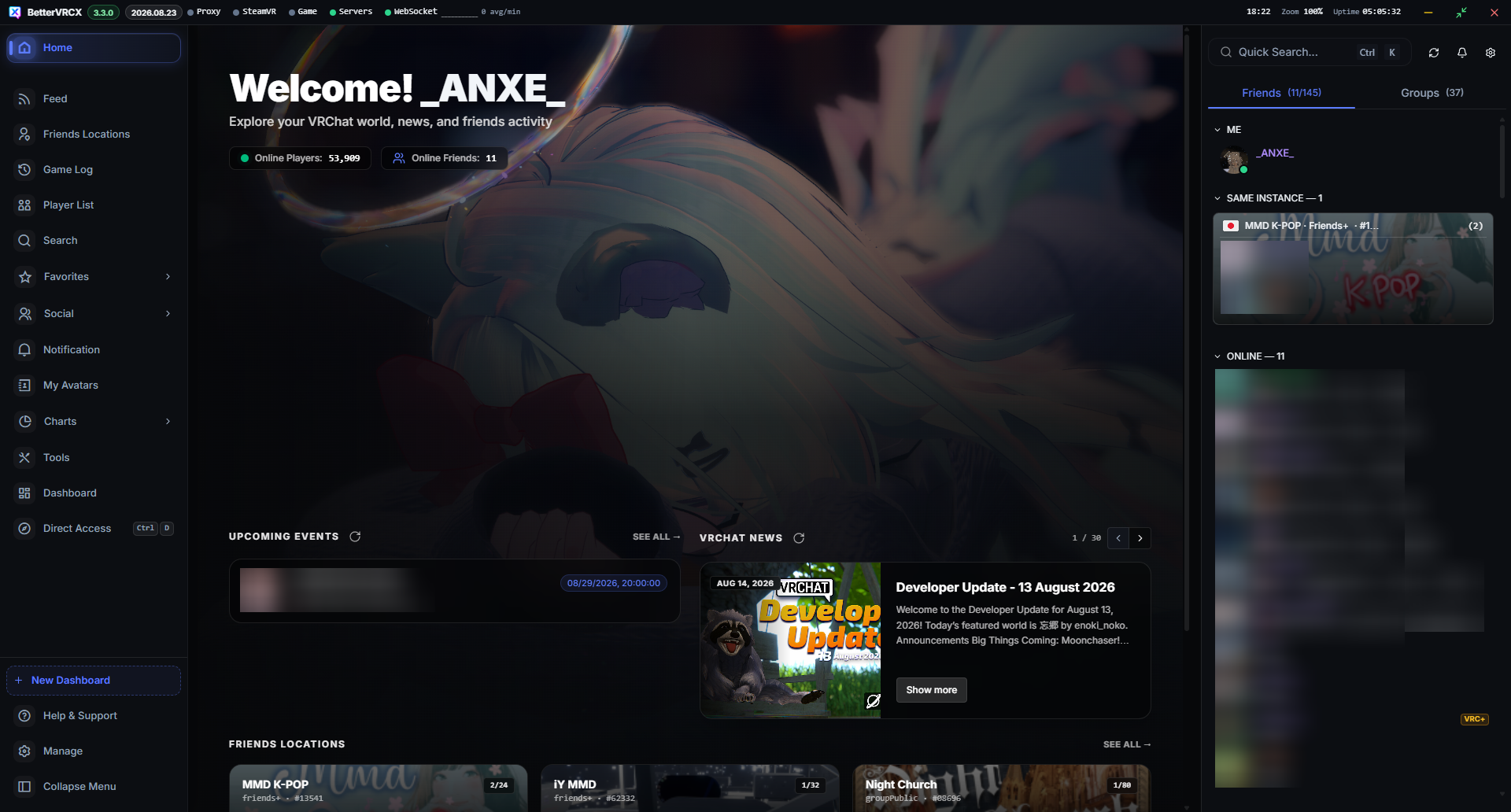
Customizable Dashboard & Multi-Panel Workspace
Personalize your workspace with widgets for Feed, GameLog, and Instances with configurable event filters.
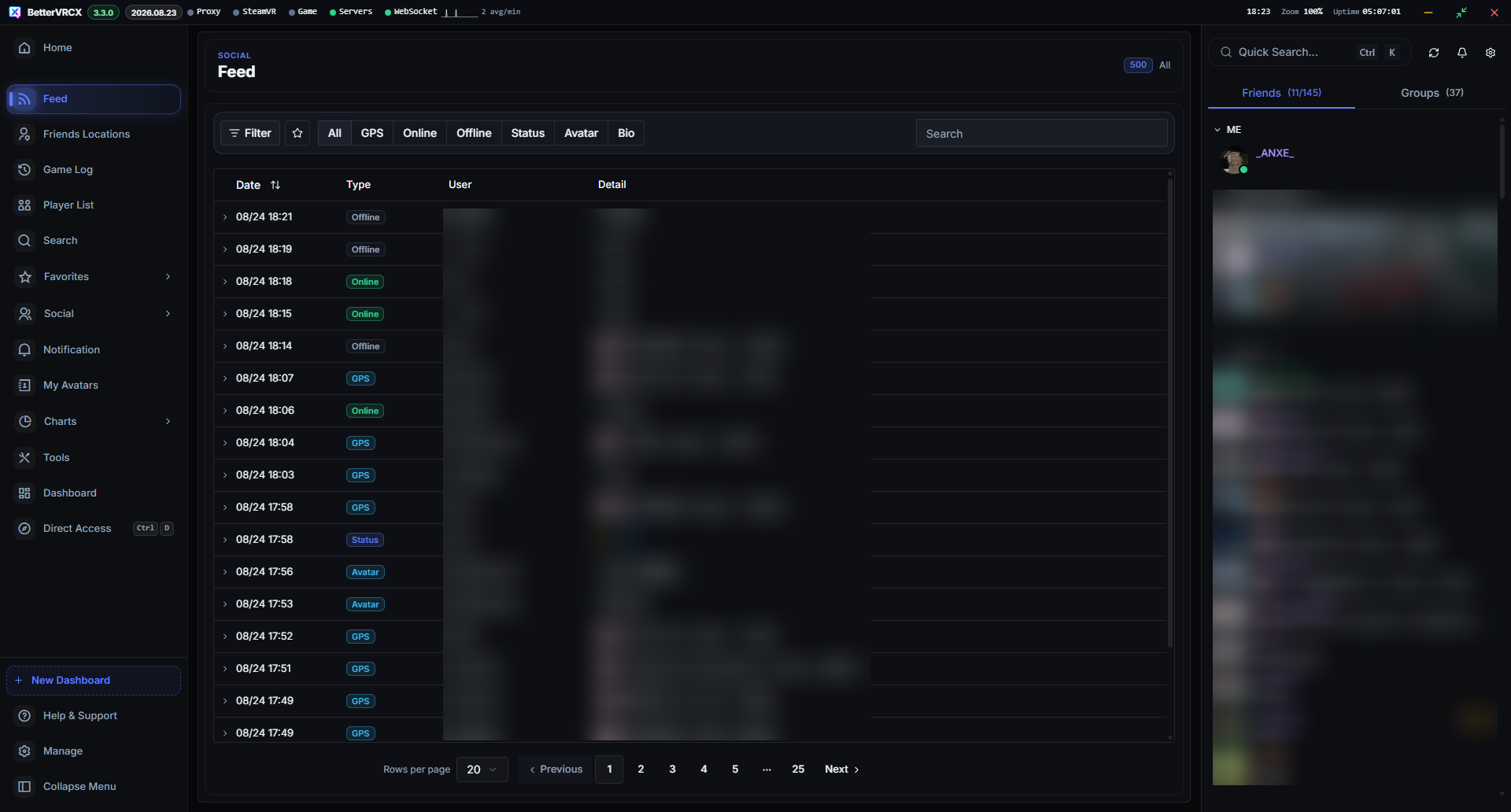
Real-Time Activity Feed & Notifications
Track friend status changes, world joins, notifications, and game events in an organized chronological stream.
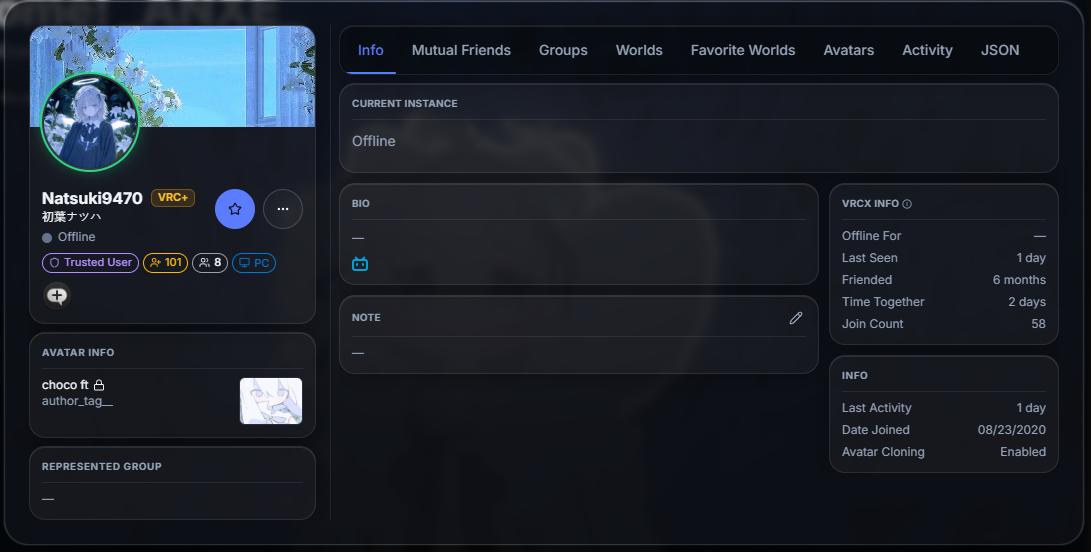
Friend Profile & Friendship History
View mutual friends, track friendship dates, time spent together, and save private notes and custom memos.
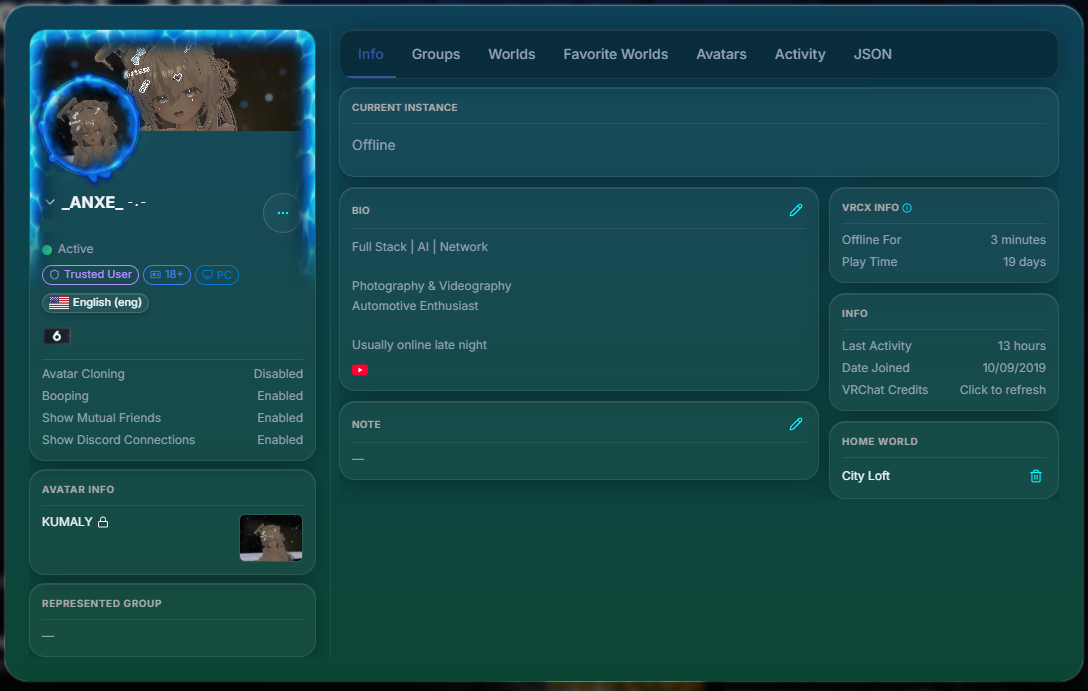
User Profile & Avatar Management
Manage your active avatar, status history, and personal VRChat statistics with quick-action shortcuts.
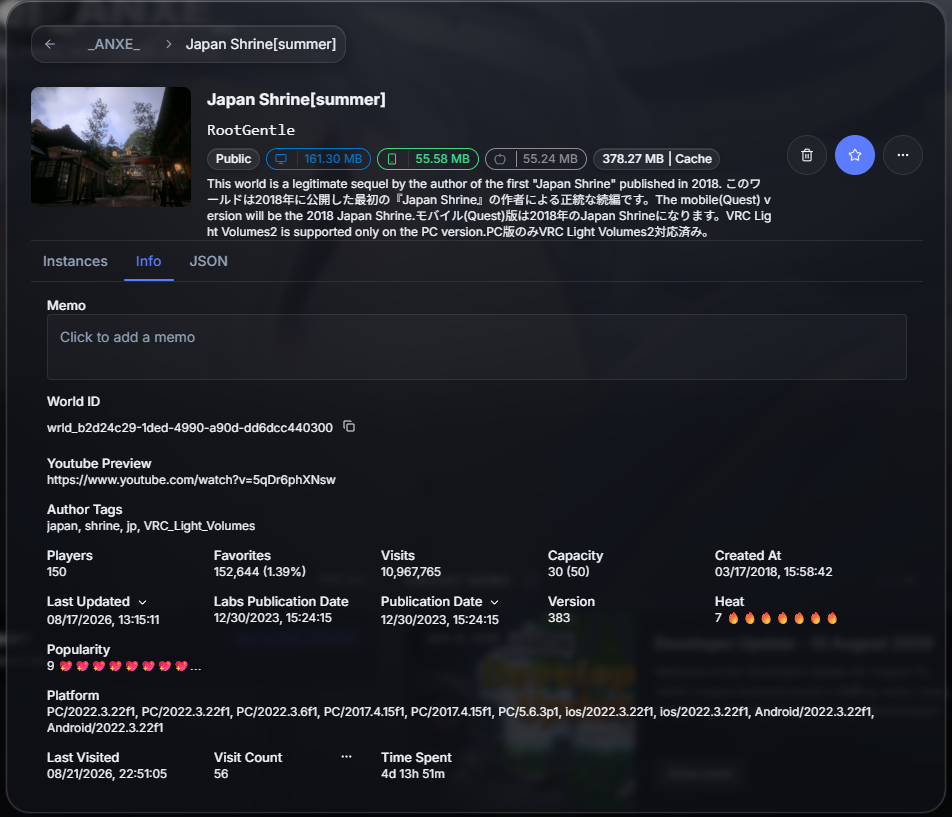
World Information & Detail View
Browse world descriptions, author info, capacity limits, tags, and organize custom world favorites.
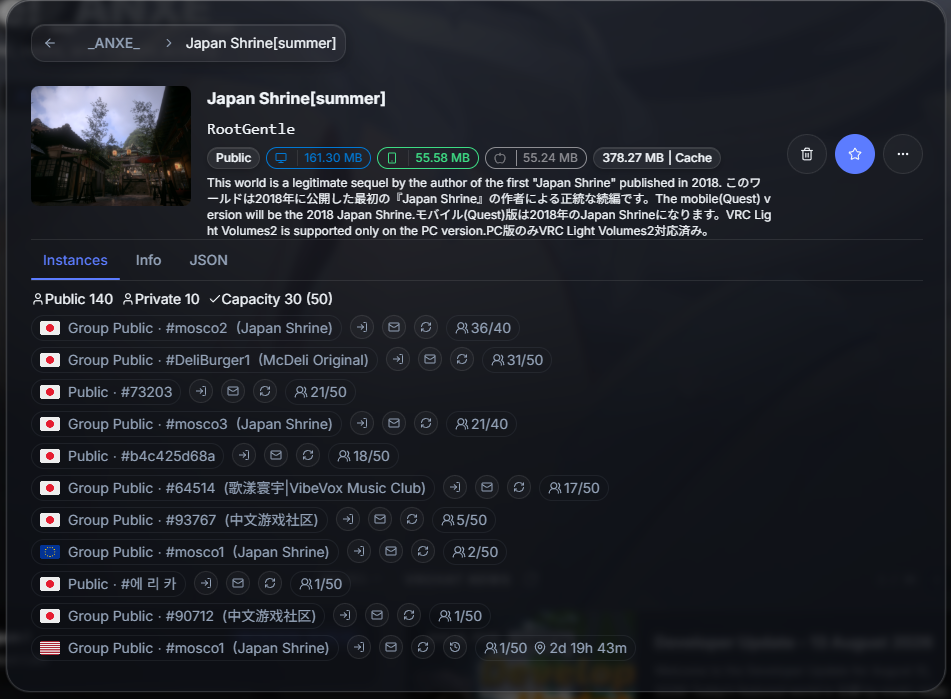
Active Instances & Friend Locations
Monitor active instance population, regions, and see which friends are currently in the world.
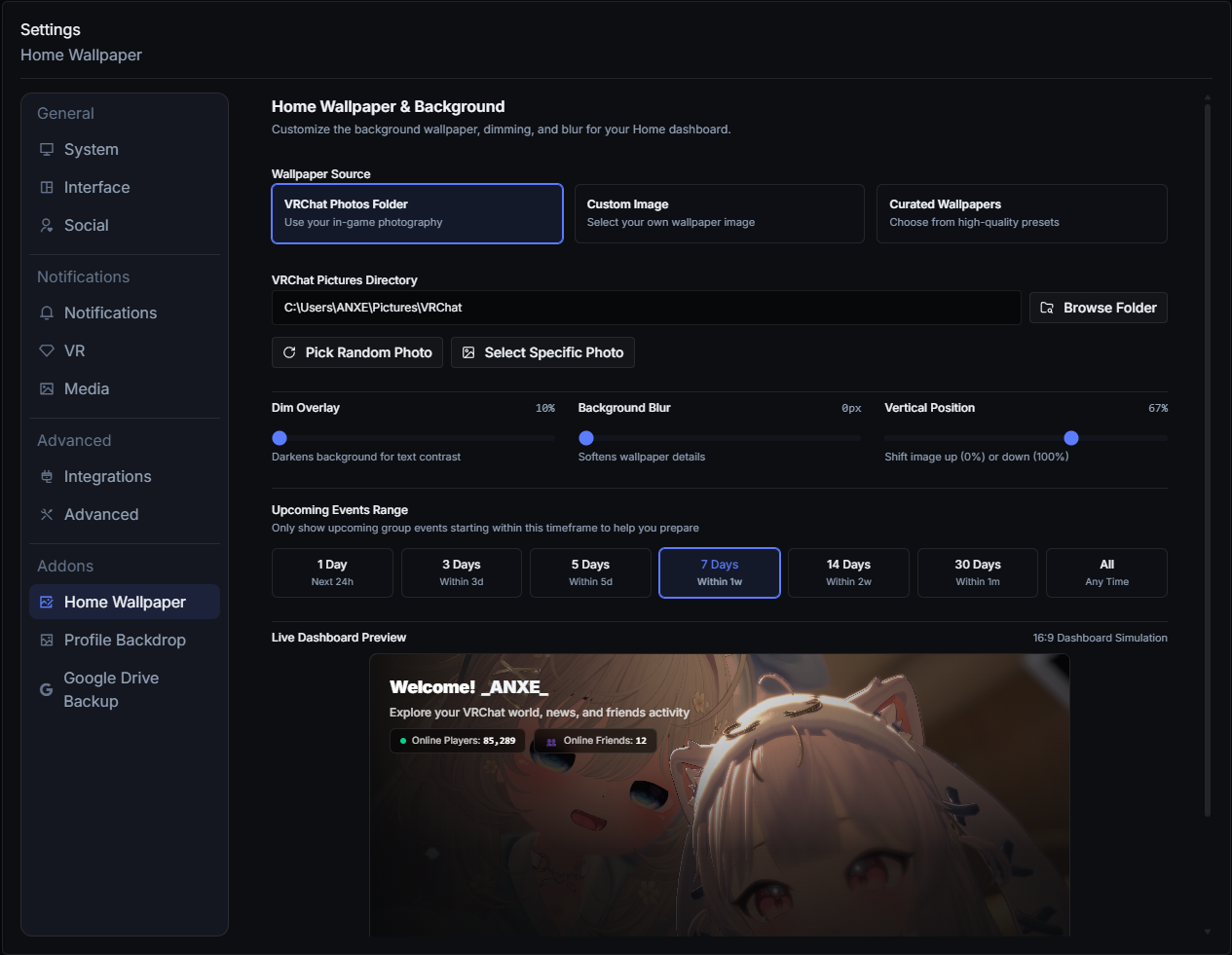
Modular Addon Store & Extensions
Enhance your experience with community addons, custom modules, and integration tools.
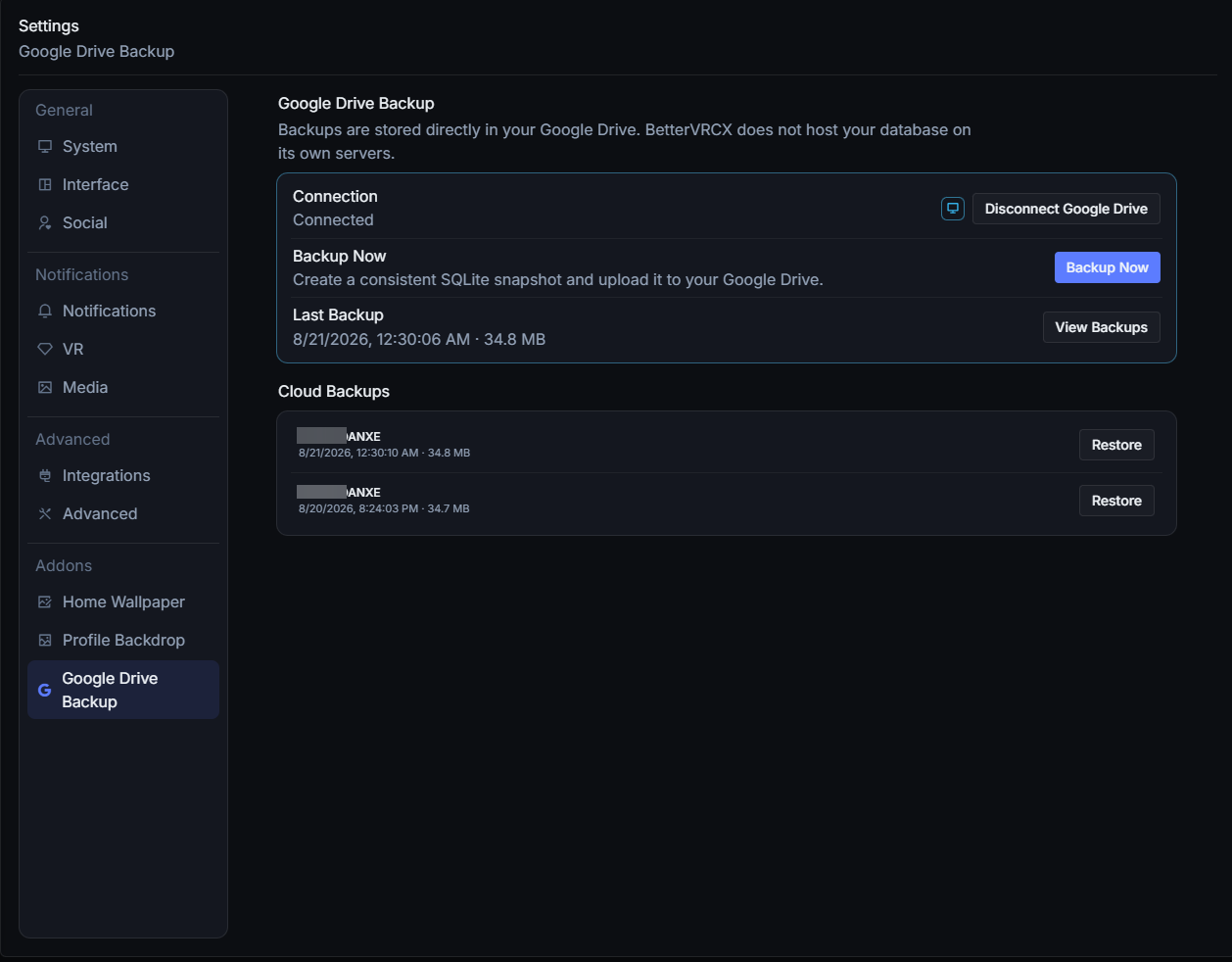
Google Drive Cloud Backup Addon
Opt-in direct client backup to your personal Google Drive for automatic database synchronization.
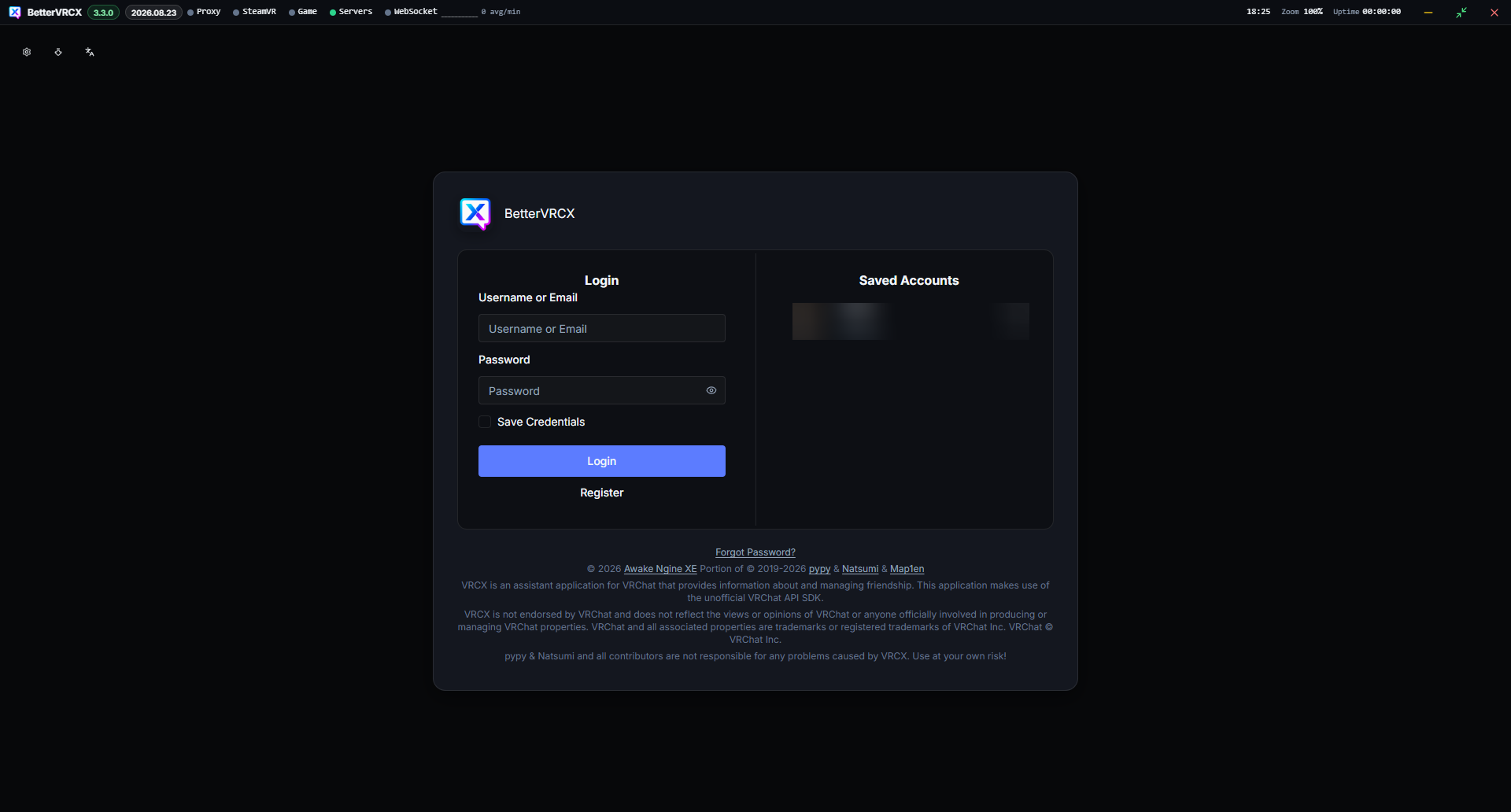
Clean & Secure Authentication
Direct login to the official VRChat API with support for 2-Factor Authentication (2FA) and local credential encryption.
Core Capabilities
Built for the VRChat Community
BetterVRCX combines deep social management, in-game VR convenience, and local data ownership into a lightweight desktop companion.
Friendship History & Private Memos
Track mutual friends, exact add dates, total time spent together in instances, past username changes, and save personal notes so you always remember how you met.
Multi-Panel Dashboard & Widgets
Build your dream layout with modular Feed, GameLog, and Instance widgets. Create multiple personalized dashboards with custom column visibility and granular event filters.
Visual Activity Heatmaps
Discover when your friends and you are most active. Visualize activity patterns with day-of-week by hour-of-day heatmaps, peak times, and detailed session statistics.
SteamVR / OpenVR In-Game Overlay
Access notifications, friend statuses, instance changes, and quick actions directly inside Virtual Reality without taking off your headset or alt-tabbing.
Lightning-Fast Fuzzy Search
Instantly find any user, world, avatar, or group from your local cache with zero latency. Paste URLs or entity IDs to jump directly to detailed profiles.
In-Game Photo World Metadata
Embed world names, instance data, and visit timestamps into the photos you take in-game. Never wonder what world you took that photo in months ago.
Live Invites & Request Manager
Send and receive invites, respond to incoming friend requests, and filter notification pings right from your desktop workspace.
Local-First SQLite & Zero Telemetry
Everything is saved locally on your computer in an SQLite database. No external tracking, no telemetry, no ad networks, and 100% open source under the MIT license.
Direct-to-Drive Cloud Backup
Optionally link your personal Google Drive to schedule automated SQLite snapshots. Backups transfer straight to your Drive with zero intermediate servers.
Optional Cloud Integration
Google Drive Backup
Safeguard your BetterVRCX history, notes, and favorites with an optional direct-to-Drive cloud backup feature.
Seamless Local-to-Cloud Sync
BetterVRCX operates 100% locally by default. For users who switch machines or want off-site redundancy, the optional Google Drive Addon performs encrypted, direct-to-Drive SQLite snapshots on a configurable schedule.
User's Computer
Local SQLite database (vrcx.sqlite3) storing your logs, favorites, and notes.
BetterVRCX (Local App)
Creates a clean snapshot. Tokens protected via OS secure storage (Windows DPAPI).
User's Google Drive
Uploaded directly to your personal Drive in BetterVRCX/Backups.
Direct Client Transfer: BetterVRCX project servers do not receive or store your backup files. Backups are processed locally by the BetterVRCX desktop application and transferred directly between the user's computer and Google Drive.
Why BetterVRCX requests Google Drive access
Google Drive integration is completely optional and is only activated when you explicitly initiate it within the BetterVRCX desktop application settings.
- Dedicated Backup Purpose: BetterVRCX uses Google Drive access solely to create, update, and manage BetterVRCX backup files in the user's own Google Drive (within the
BetterVRCX/Backupsdirectory). - Direct-to-Drive Local Transfer: BetterVRCX project servers do not receive, process, or store your backup database. All backup processing occurs locally in the BetterVRCX desktop application, and data is transferred directly between your computer and Google Drive.
- Limited Scope: BetterVRCX uses the limited
drive.filepermission rather than requesting broad access to all files in your Google Drive. - OAuth Credential Security: Sensitive OAuth refresh credentials are protected locally on your device using Windows DPAPI.
For full details on our data protection practices and Google Limited Use compliance, review the complete BetterVRCX Privacy Policy.
Restricted to App-Created Files
BetterVRCX uses the limited drive.file permission rather than requesting broad access to all files in your Google Drive:
BetterVRCX cannot read, modify, or delete any other personal files, documents, or photos in your Google Drive.
Your Local BetterVRCX Database
When you initiate a backup, BetterVRCX creates an SQLite database snapshot containing:
- Local favorite worlds, avatars, and friends
- Custom user notes, memos, and avatar tags
- Local visit history, game logs, and join/leave records
- Stored notification feeds and custom configuration
Backups do not contain account passwords or third-party tracking identifiers.
Protected On Your Device
Google OAuth refresh tokens are encrypted on your local machine using operating system-level encryption (Windows Data Protection API - DPAPI). Tokens are never transmitted to any BetterVRCX maintainer or third party.
Revoke Access at Any Time
You can disconnect Google Drive at any time directly in BetterVRCX settings (which clears all locally cached tokens) or revoke access from your Google Account Security Settings.
100% Free, Open Source & Safe
BetterVRCX is built for privacy, transparency, and freedom. The code is publicly auditable on GitHub, licensed under MIT, and verified safe by VirusTotal scans with every release.
Clean file scan verification for BetterVRCX.exe on VirusTotal.
Open and auditable source code. Anyone can inspect, build, and contribute.
English, Thai, Japanese, Chinese, Italian, Russian, Spanish, Polish, French, Hungarian & more.